Gmail stores your important emails, invoices, attachments and business communication. A secure backup ensures your mailbox remains protected, accessible and ready whenever you need it.
Protect Gmail emails against accidental deletion, account issues or unexpected mailbox corruption.
Create a secure local copy before account suspension, hacking attempts or password recovery problems.
Backup Gmail before migrating emails to Outlook, Office 365, Thunderbird or another platform.
Read your Gmail emails anytime without depending on an internet connection.
Export Gmail emails into popular file formats while preserving attachments, labels, folder hierarchy and email metadata.
Read Some Advanced Features to Backup Gmail Emails on Mac OS Directly
Backup Your Entire Gmail Mailbox
MacMister Gmail Backup Tool is designed to securely archive Gmail emails while preserving every important detail, including attachments, labels, timestamps, sender information, and folder hierarchy. Whether you need a personal backup, business email archive, or migration-ready copy, the software ensures fast, accurate, and hassle-free backups on both Mac and Windows.
Backup Gmail to Multiple File Formats
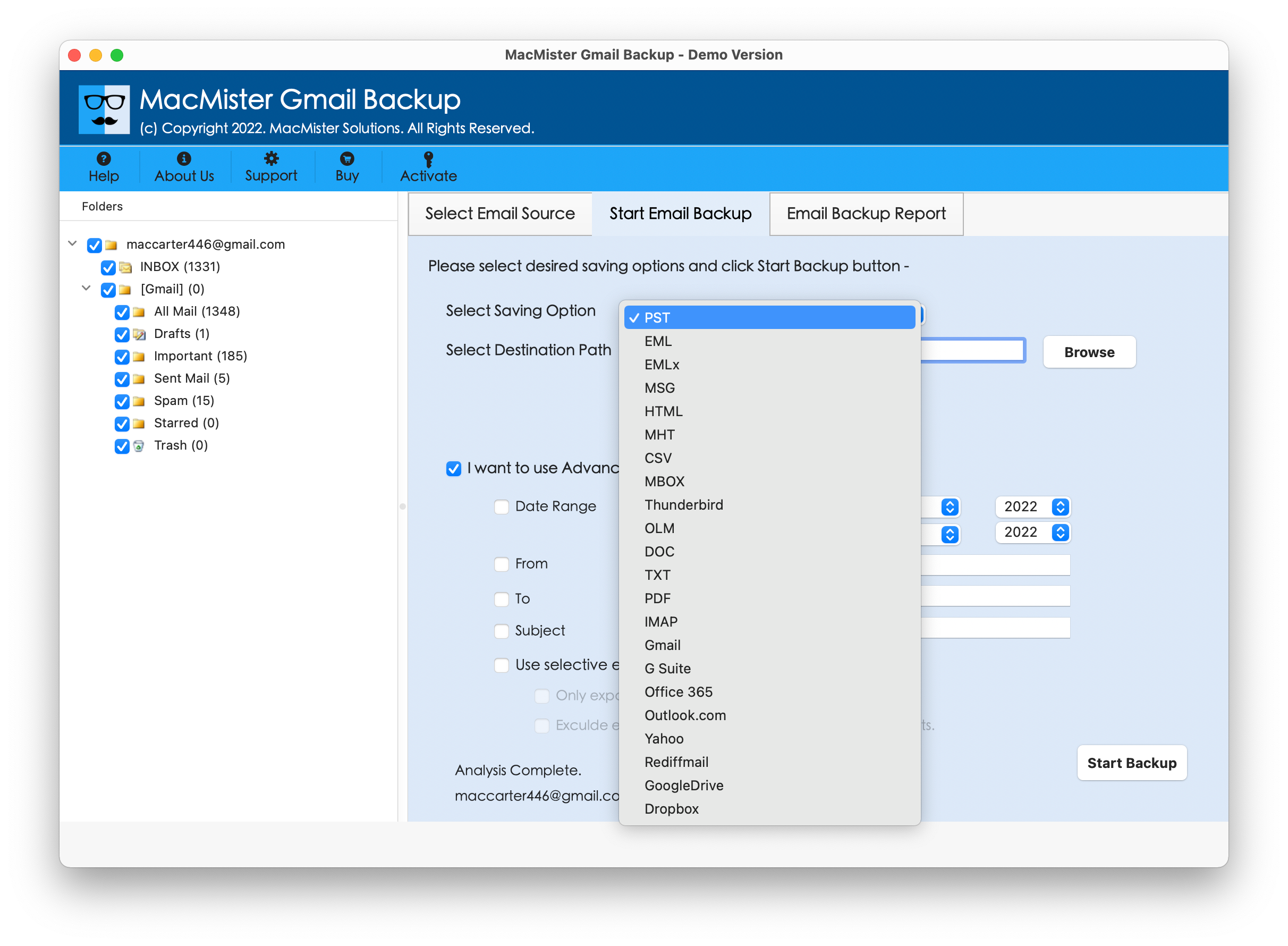
Export Gmail emails into widely used formats such as PST, PDF, EML, MBOX, MSG, HTML, TXT, CSV, MHT, DOC, and DOCX. This flexibility allows you to access, share, print, or import your emails into various email clients and document applications whenever required.
Preserve Email Properties & Folder Structure
The software maintains original email formatting, metadata, attachments, timestamps, sender and recipient information, labels, and folder hierarchy throughout the backup process. Your exported mailbox remains organized and identical to your Gmail account.
Selective Gmail Backup with Advanced Filters
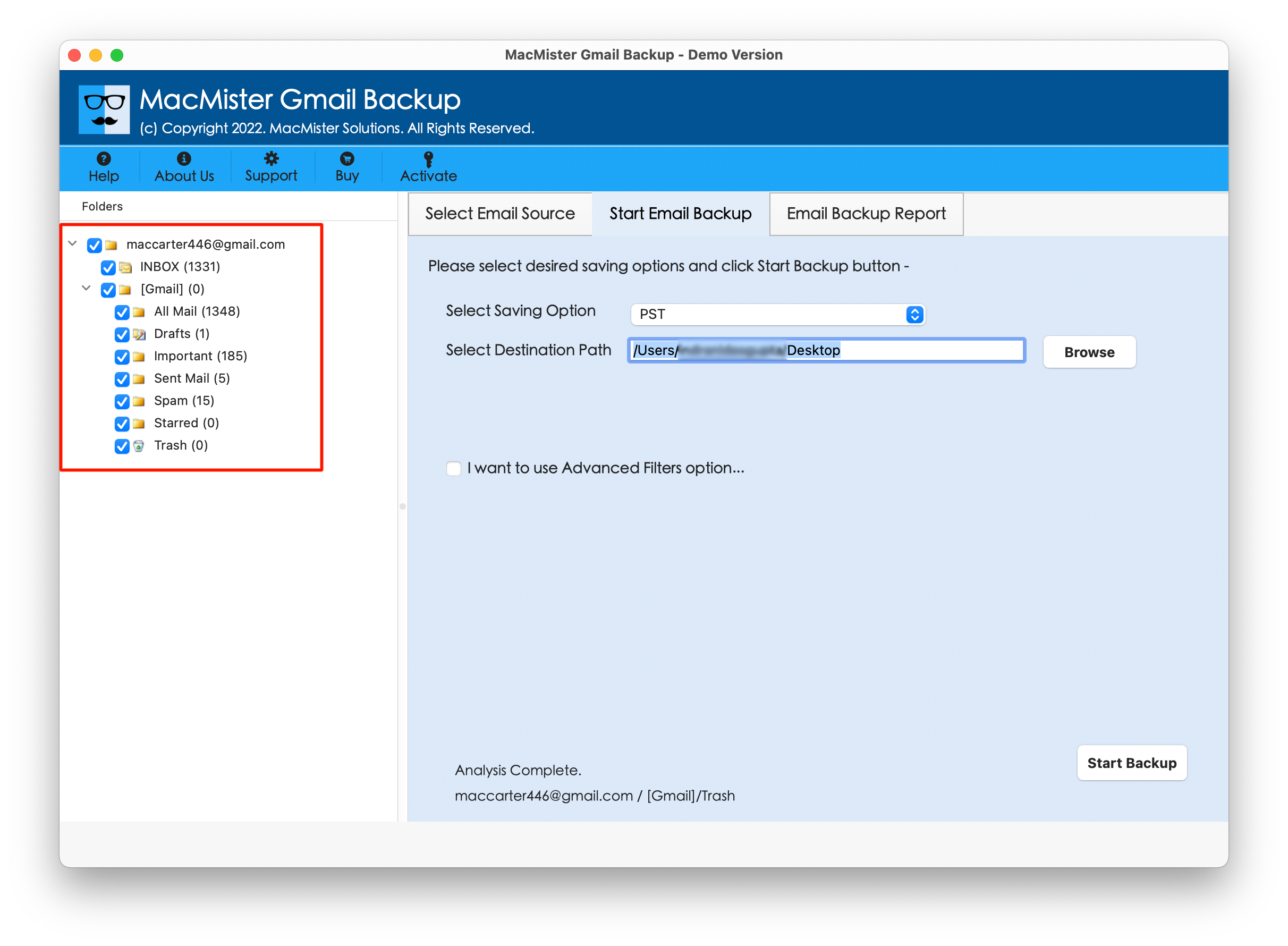
Avoid backing up unnecessary emails by using built-in filtering options. You can export emails based on date range, specific folders, sender, recipient, or subject, helping reduce backup time and storage while keeping only relevant data.
Backup Gmail Emails with Attachments
Save complete Gmail messages along with all associated attachments without any data loss. Documents, images, PDFs, spreadsheets, and other attachments remain linked to their respective emails after the backup is complete.
Bulk Backup for Multiple Gmail Accounts
IT administrators, businesses, and professionals can efficiently backup multiple Gmail accounts without repeating the entire process manually. This saves valuable time while ensuring consistent backups across different user accounts.
Compatible with Mac & Windows
The Gmail Email Bakup software for Mac & Windows works seamlessly on the latest and earlier versions of both macOS and Windows. Whether you're using a personal laptop or an office workstation, you can create secure Gmail backups without compatibility issues.
Fast, Accurate & Reliable Performance
Built with an optimized backup engine, MacMister Gmail Backup Tool processes thousands of emails efficiently while maintaining data integrity. Even large Gmail mailboxes can be backed up smoothly without altering the original email content.
Software Download
Download the free trial of MacMister Gmail Backup Tool to securely backup Gmail emails with attachments, labels, and complete mailbox data. Upgrade anytime to unlock unlimited email backup and advanced export options.
Size: 20.9 MB Version: 1.0
Processor
Apple Silicon M-series (M1 or later)
RAM
Minimum 512 MB is required
Hard Disk Space
50 MB of free hard disk space
Trial Limitations
Free Demo will help backup first 25 Gmail emails for free.
Monterey, Big Sur, Catalina (MacOS X 10.15), Mojave (MacOS X 10.14), High Sierra (MacOS X 10.13) and all below Versions
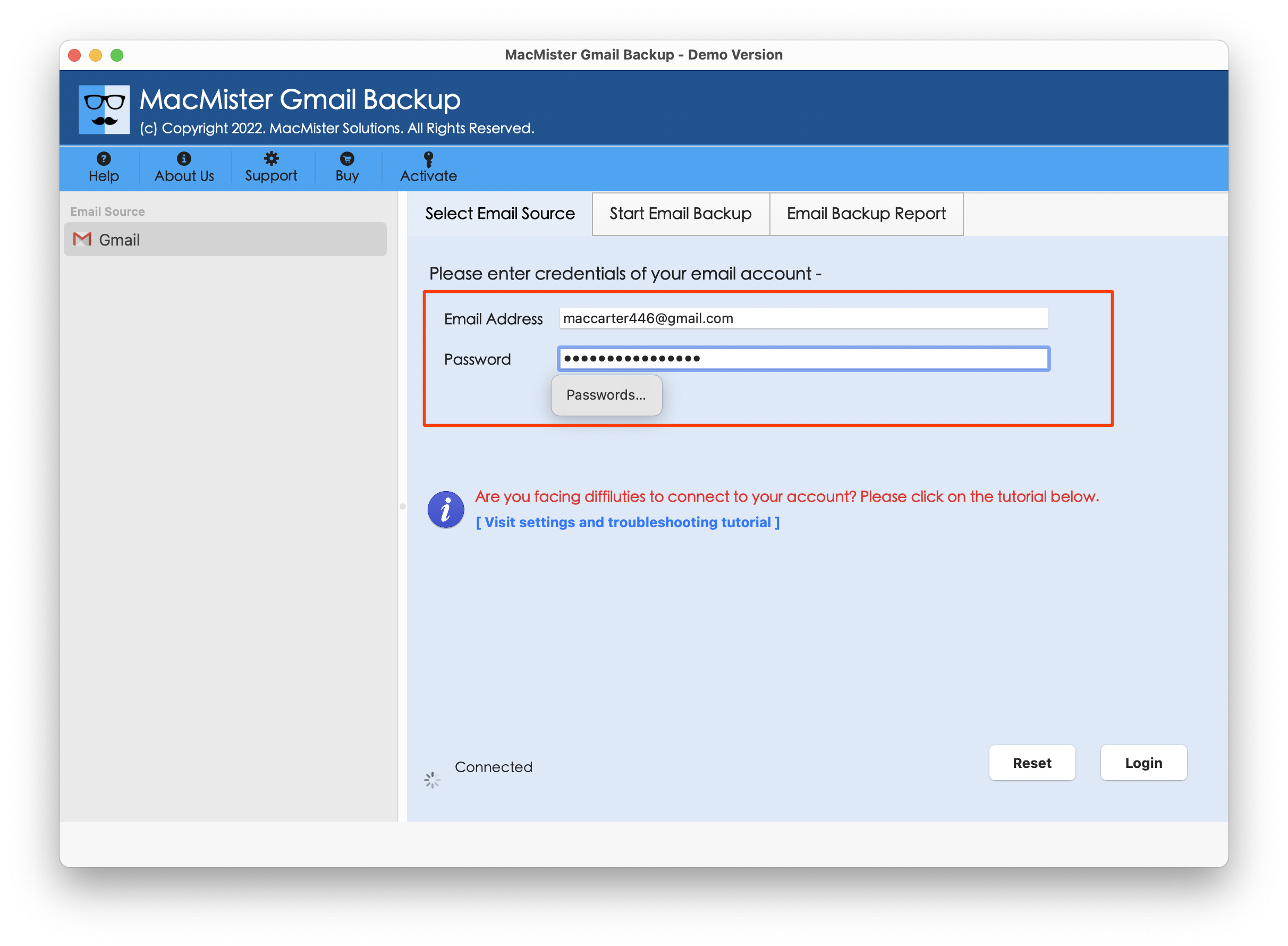
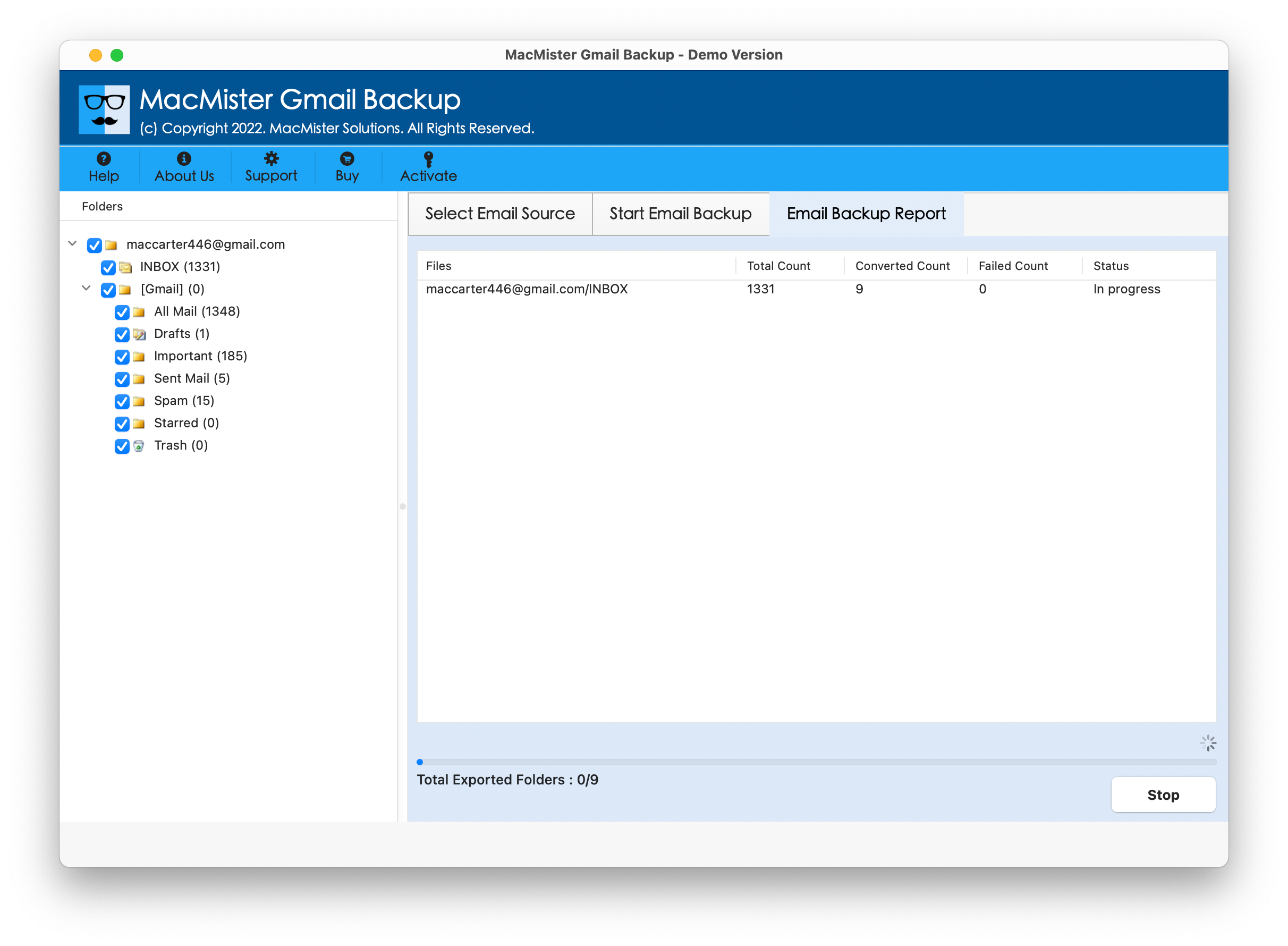
Follow the step-by-step process below to securely backup Gmail emails to your preferred file format.
Explore the Difference Between Free and Full Version of Gmail Backup Tool for Mac
| Features |
Trial Version |
Full Version |
|---|---|---|
| Batch Gmail Backup Support | 25 Items / Folder |
Unlimited |
| Support for Multiple Export File Formats |
|
|
| Advanced Date Filter Option |
|
|
| Preserve Complete Email Properties |
|
|
| Selective Gmail Folder Backup |
|
|
| Multiple File Naming Convention Options |
|
|
| Supports all macOS Ranges |
|
|
| 24/7 Free Technical Support Service |
|
|
| Priority Technical Support Assistance |
|
|
| Price | Free |
$29 |
See why IT professionals, businesses, and individual users rely on MacMister Gmail Backup Tool for secure, accurate, and hassle-free Gmail backups.