How to Migrate from Roundcube to Thunderbird: A Step-by-Step Guide
If you are transitioning from Roundcube to Thunderbird and need assistance with migrating your email messages, this guide will provide you with the necessary steps to accomplish the task efficiently. By following the instructions outlined in this segment, you will be able to successfully understand the process of how to migrate from Roundcube to Thunderbird in no time.
What is Roundcube Webmail?
Roundcube is a widely used web-based email service that operates on the IMAP protocol. It is known for its utilization of AJAX technology, which allows for asynchronous loading of content without refreshing the entire page. Roundcube is open-source software that is free to use and is governed by the GNU and GPL rules, with the exception of plugins and skins which may have their own licensing terms.
Roundcube webmail service offers a user-friendly interface for managing emails. It is particularly popular among small businesses, individuals, and freelancers who are looking for a reliable and easy-to-use email service. With Roundcube, users can conveniently access and manage their emails through a web interface.
In Roundcube, emails are stored on the email server, allowing users to access them from any device connected to the internet. To ensure the safety of important files and to prevent loss in case of any issues with the email service provider or accidental deletion, it is highly recommended to regularly back up Roundcube emails.
Reasons to Migrate from Roundcube to Thunderbird
Thunderbird is a popular open-source email client that is widely used across different platforms. It is known for its effectiveness in managing emails, allowing users to organize, filter, set up, and archive their email conversations and accounts.
Thunderbird is a helpful tool for users as it allows them to easily access and manage their conversations across multiple tabs. It also provides reminders for message attachments and allows users to configure their accounts with important information. Organizations can benefit from Thunderbird’s calendar feature for managing events, generating to-do lists, and maintaining an address book with additional details. The platform also offers support for multiple languages and has built-in message encryption capabilities to ensure secure conversations.
Benefits of using Thunderbird Email Client
- Thunderbird has advanced junk mail settings that allow the program to easily detect suspicious emails and automatically send them to the junk folder, helping to keep your inbox free from unwanted or potentially harmful messages.
- Provides the ability to encrypt emails offline, providing an extra layer of security against phishing attempts, and protecting against remote images that may contain malicious content.
- Thunderbird supports remote server functionality. This allows users to have their own personal offline email server with additional storage and enhanced security.
- Offers support for customization through a wide range of third-party extensions. These extensions allow users to personalize their Thunderbird experience and add additional features and functionality to the email client.
- Thunderbird allows for offline email management. It will save all your emails and any replies you compose when not connected to the internet. These emails will then be sent automatically once you are again connected to the internet. This feature ensures that you can continue to work on your emails even without an internet connection.
How to Migrate from Roundcube to Thunderbird?
The MacMister Roundcube Email Backup Software for Mac & Windows is a user-friendly tool. It has download versions for both Mac and Windows operating systems. It allows users, regardless of their technical expertise, to easily migrate their emails and attachments from Roundcube to Thunderbird. The software streamlines the migration process, saving users’ time and enabling them to transfer unlimited Roundcube emails to Thunderbird in just a few simple steps.
Moreover, it offers a variety of features that can be customized to meet the needs of users who want to migrate their Roundcube emails to Thunderbird. Additionally, users can take advantage of a free demo to see how the software will handle the migration task at no cost.
Working Steps to Migrate from Roundcube to Thunderbird on Mac
Step 1. Download and run Roundcube to Thunderbird Converter for Mac on macOS.
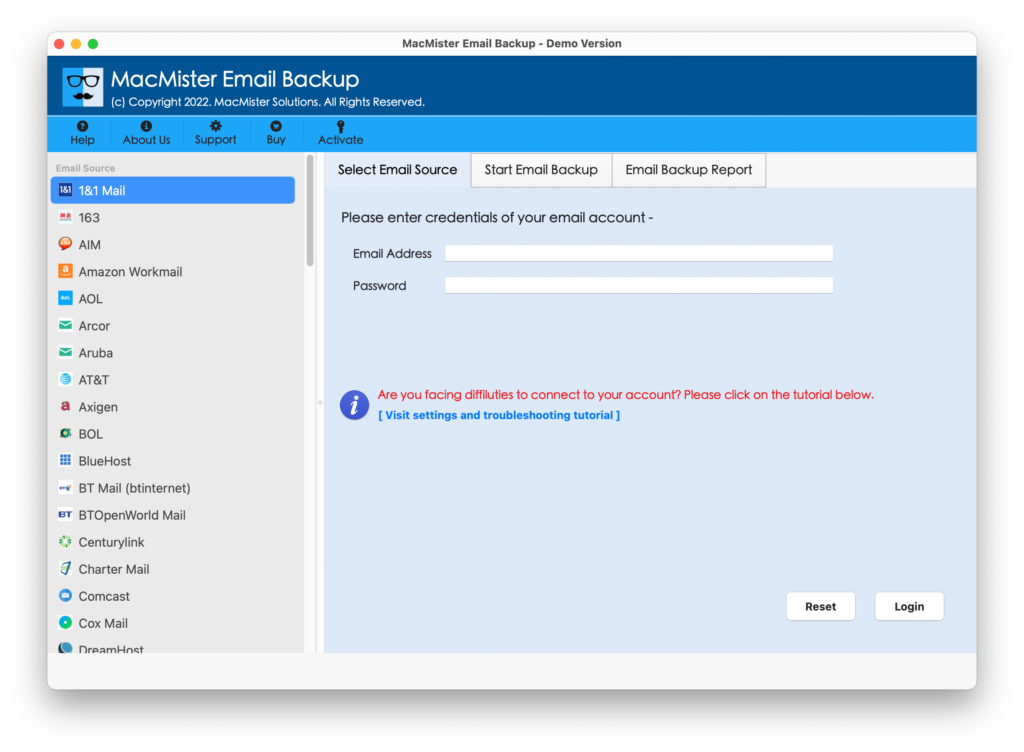
Step 2. Select Roundcube webmail from the left. Enter Roundcube credentials and click the Login button.
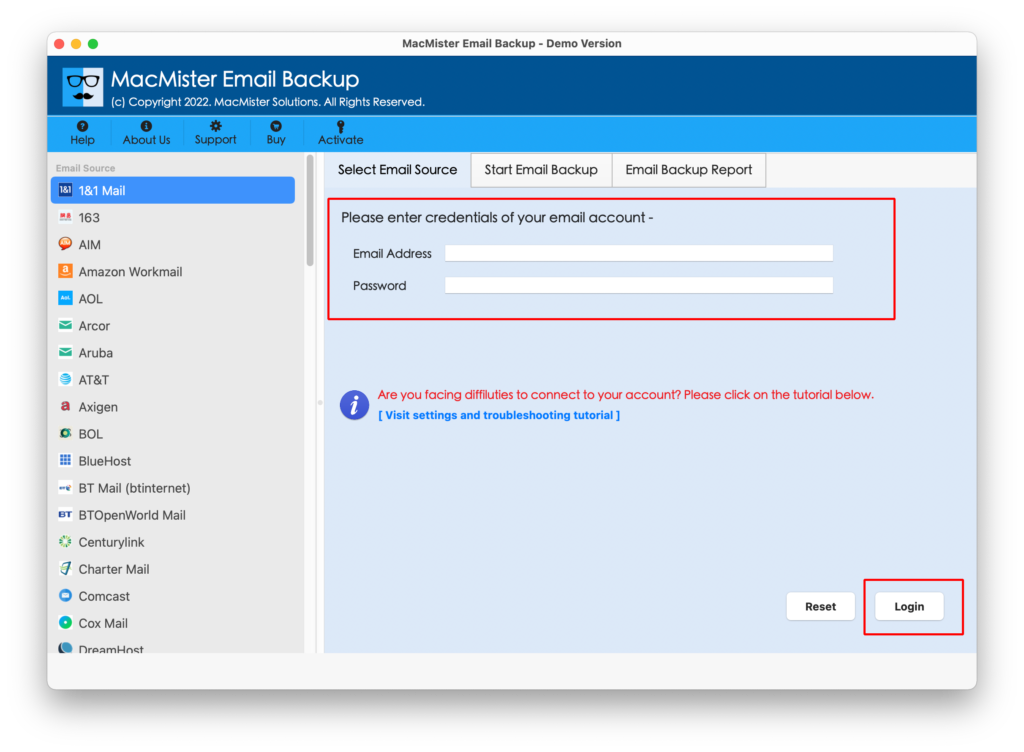
Step 3. Roundcube account will connect with the app and the mailboxes stored in it starts to appear on the application.
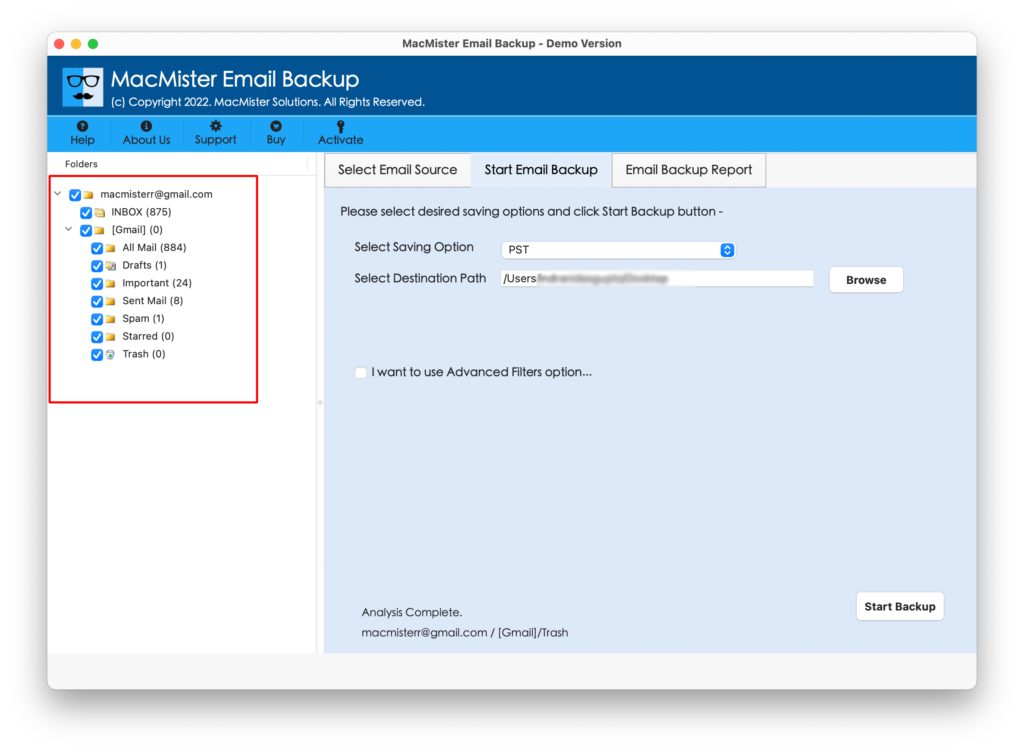
Step 4. Navigate to Select Saving Options appearing on the right. Click on it and select the Thunderbird option from the list.
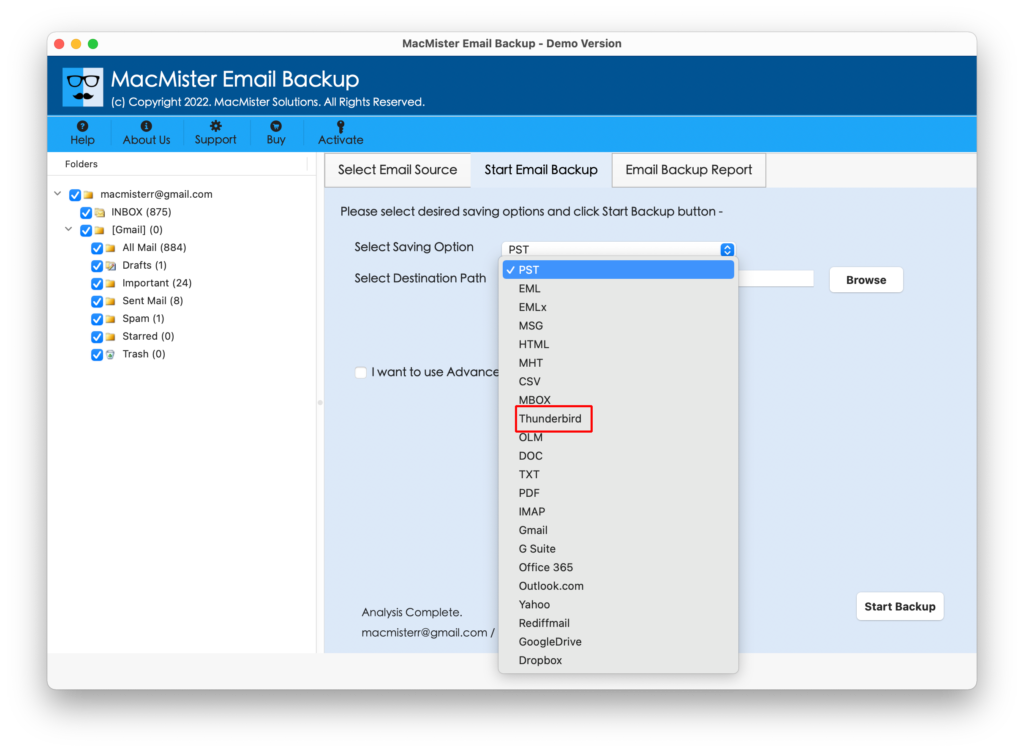
Step 5. Set Thunderbird sub-options as per need. Apply Filters as per requirements and start the process by clicking the Start Backup button.
Step 6. The migration of Roundcube to Thunderbird will be live and the current migration status will appear on Email Backup Report.

Once the procedure is finished, users will see a “Process Completed” message on their screen. They can then click the OK button and go to the default profile location of Thunderbird to check the results. It is important to note that the email messages will appear exactly as they were, with no changes or alterations, and the formatting properties will remain accurate.
What are the Benefits of Roundcube to Thunderbird Tool?
MacMister Roundcube to Thunderbird has many advantages and some are explained here:
- Directly migrate emails from Roundcube to Thunderbird with attachments.
- Equipped with multiple filters that allow users to export Roundcube emails to Thunderbird according to date range, to, from, subject, etc.
- Performs the migration with accurate content and formatting properties.
- Delivers a simplified platform that is accessible by both technical and novice users.
- Displays Email Backup Report that shows the ongoing migration progress of Roundcube emails.
- Capability to migrate unlimited Roundcube emails to Thunderbird at once.
- Offers Mac and Windows download versions so that users with both operating systems can try the application on their respective platforms.
Epilogue
The write-up has mentioned the approach that will directly migrate all emails from Roundcube to Thunderbird with attachments in minimum time. The solution is very simple and provides an environment that is comfortable to use for both technical and non-technical users.
One can download the free demo of the app and explore the complete software functioning for free. It will also allow users to migrate the first 25 Roundcube emails to Thunderbird on Mac & Windows free of cost. For any software assistance, contact MacMister Support.