How to Convert MBOX to DOC in Easy Steps in Mac & Windows?
Are you having ample MBOX files on the system that you want to convert into DOC? Wondering how to convert MBOX to DOC on Mac effortlessly and safely? Looking for a simple and best approach to implement the same? Then keep reading the following section because here an advanced and remarkable technique is explained that will help in converting MBOX files into DOC with 100% accuracy.
MBOX is a popular file format and works as a default storage file type for multiple email clients such as Apple Mail, Thunderbird, Eudora, Gmail, PocoMail, and more. It is a plain-text file that stores the list of users’ email files and attachments in a concatenated format. It saves all the email messages in ASCII and attachments in an encoded form. The message is preceded by a separator line and terminated with an empty line. However, the start of the file will show the characters of “From_line” with the space and end with a Blank line. Moreover, one will find four variants of MBOX files i.e. MBOXO, MBOXRD, MBOXCL, and MBOXCL2.
The only drawback with MBOX file is that it requires its supported email application to open. Because, without the email client, users will find difficulty in viewing the content of MBOX files. And sometimes, Mac users send important MBOX files to a client who does not have the installation of a supported email program on the system. This creates a problem for them and so they frequently look for the best MBOX reader for Mac that could help them to open MBOX files on Mac without an email client.
In such a scenario, they find DOC format a suitable file type to read MBOX file content on Mac.
Why to Convert MBOX to DOC?
DOC is Microsoft Word-supported file format. But, can be used with other Word processing software including Open Office. It contains formatted text, images, charts, graphs, tables, print settings, and page formatting. However, there are several reasons why one looks forward to DOC for the conversion of MBOX files. Some are discussed here:
- MBOX files are platform-dependent and by converting MBOX files into DOC, one can extract the content of MBOX email messages and save them as individual documents for easy accessibility.
- Converting MBOX files into DOC will help in organizing and managing the important MBOX files on the system.
- By performing the conversion, one can leverage the editing and formatting capabilities of word processing software to make changes, add annotations, apply styles, and customize the content as needed.
- Transforming MBOX files into DOC will help in sharing the content of MBOX files easily with others who do not have direct access to MBOX files.
However, the process of MBOX to DOC can be executed by reliable and secure third-party applications as no manual method is present for converting MBOX files into DOC.
How to Convert MBOX to DOC in Easy Steps on Mac & Windows?
With the help of MacMister MBOX Converter for Mac & Windows, one can batch convert MBOX files to DOC at once. The software is simple, cost-effective, and proficient. It is secure and built up with a platform that technical and novice users can use to convert MBOX to DOC. Even, the steps are very limited. So, users do not need to waste a lot of time converting unlimited MBOX files into DOC format.
Moreover, the utility includes plenty of features that help users to convert MBOX files into DOC as per their specific requirements. However, the free demo is also available which allows users to check the entire procedure and features of the tool for free.
Working Steps to Convert MBOX to DOC on Mac
Step 1. Install and run MacMister MBOX to DOC Converter on macOS.
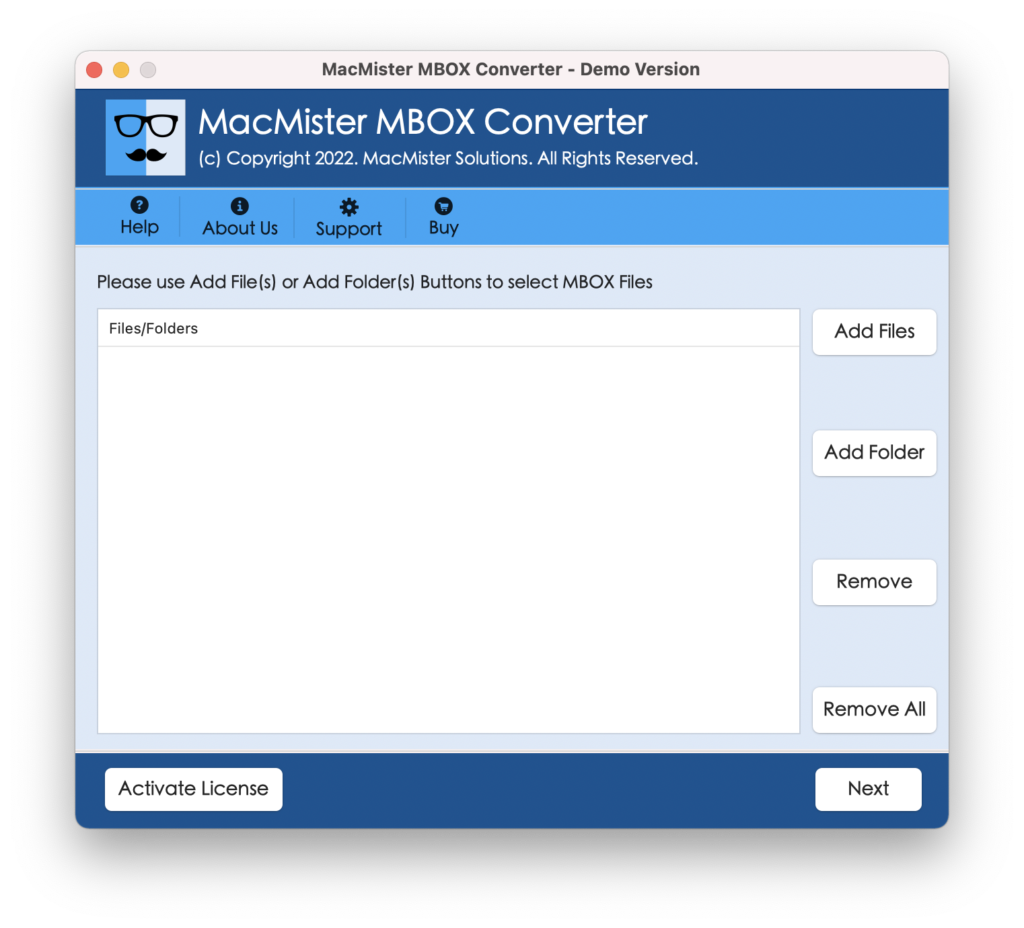
Step 2. Make use of Add File(s)/Add Folder buttons to add necessary MBOX files to the software. Click Next.
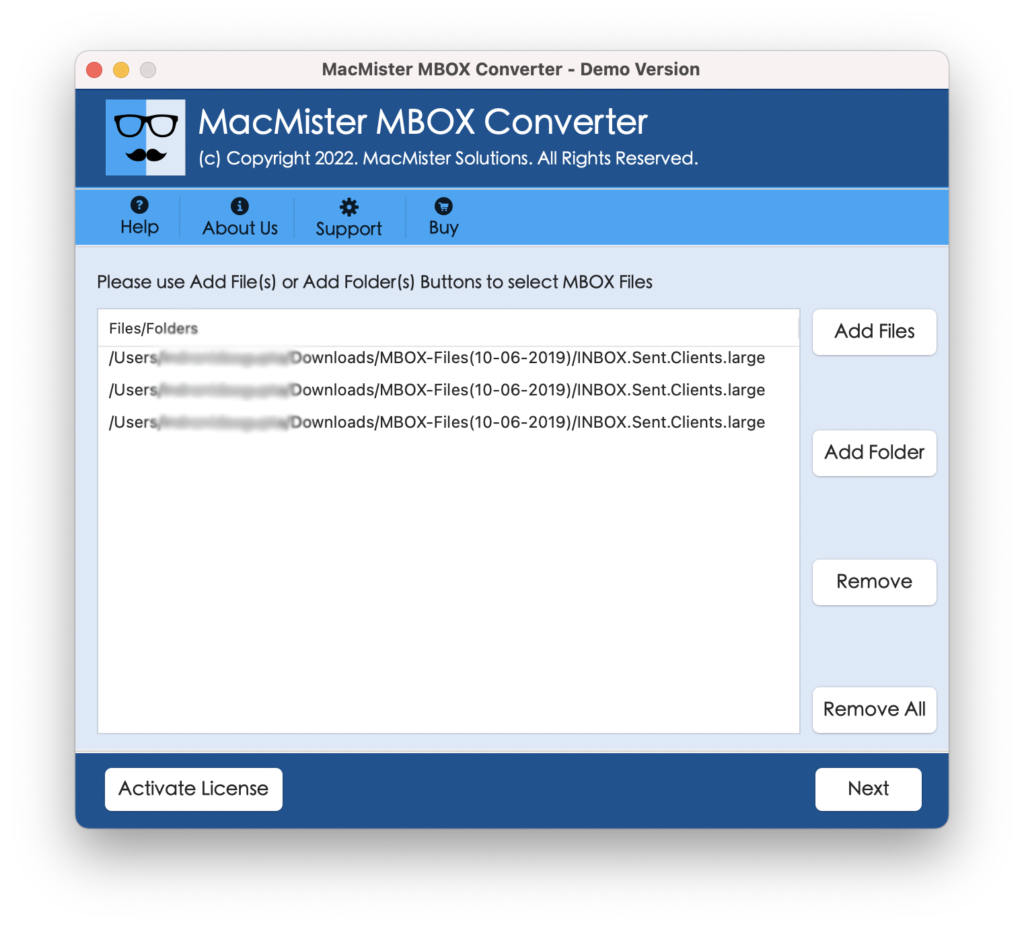
Step 3. The application will list MBOX files with checkboxes on the software panel. The checkbox will help to convert required MBOX files into DOC. Users can use the function as per need and continue further by tapping the Next button.
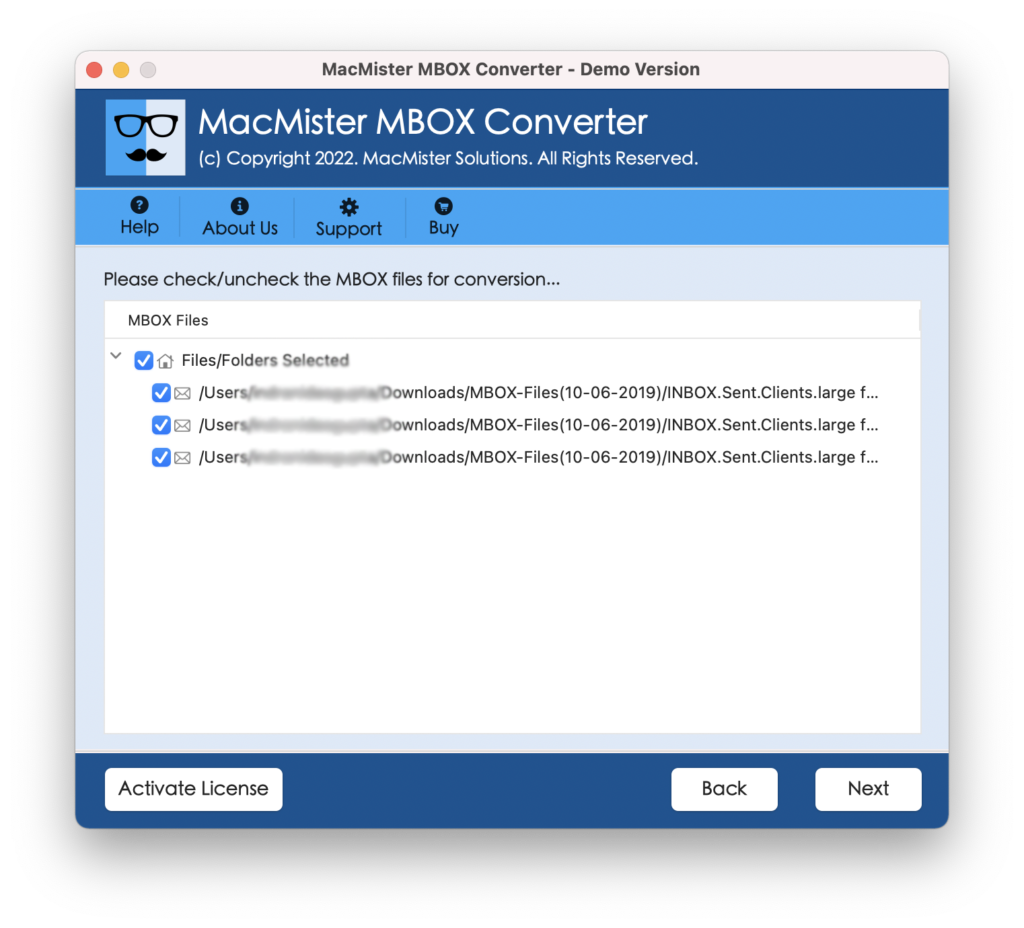
Step 4. Click Select Saving Options and choose DOC format from the menu.
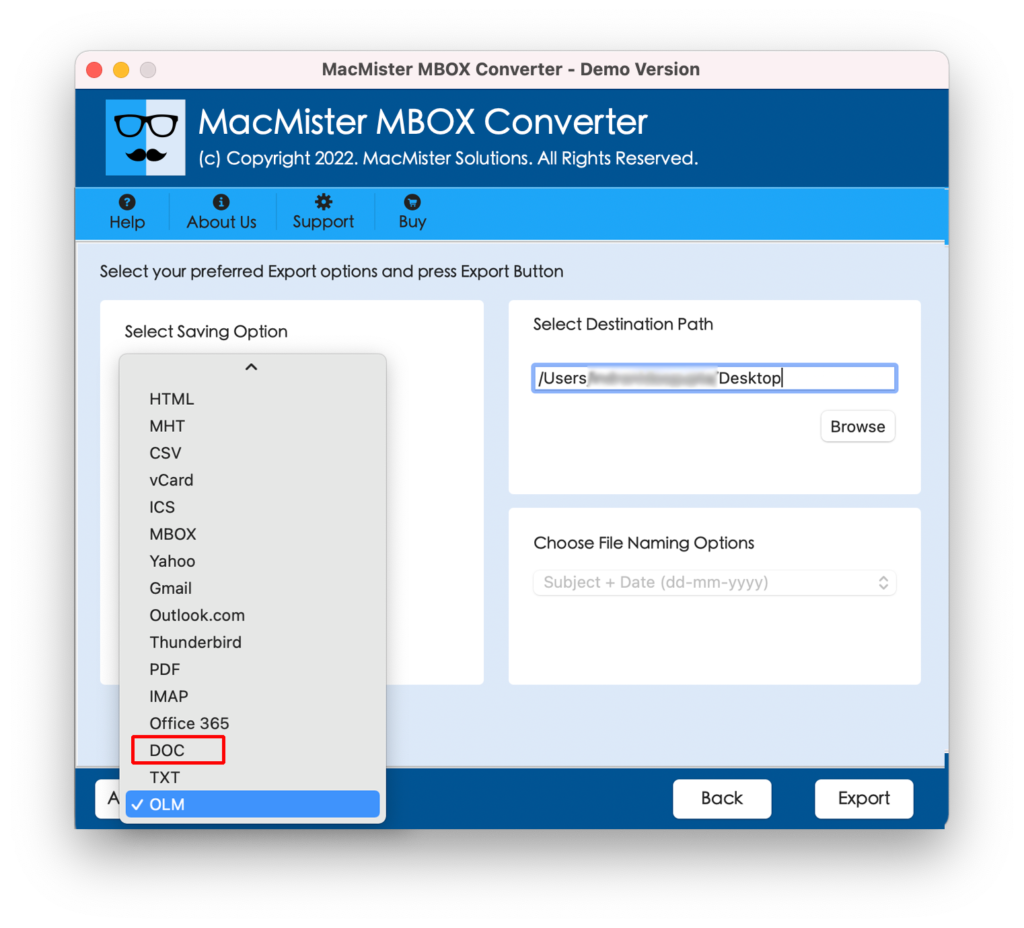
Step 5. Set DOC sub-options as per requirements and start the process by clicking the Export button.
Step 6. The conversion will start and the tool will display a Live Conversion Window through which one can track the current export status of MBOX files.
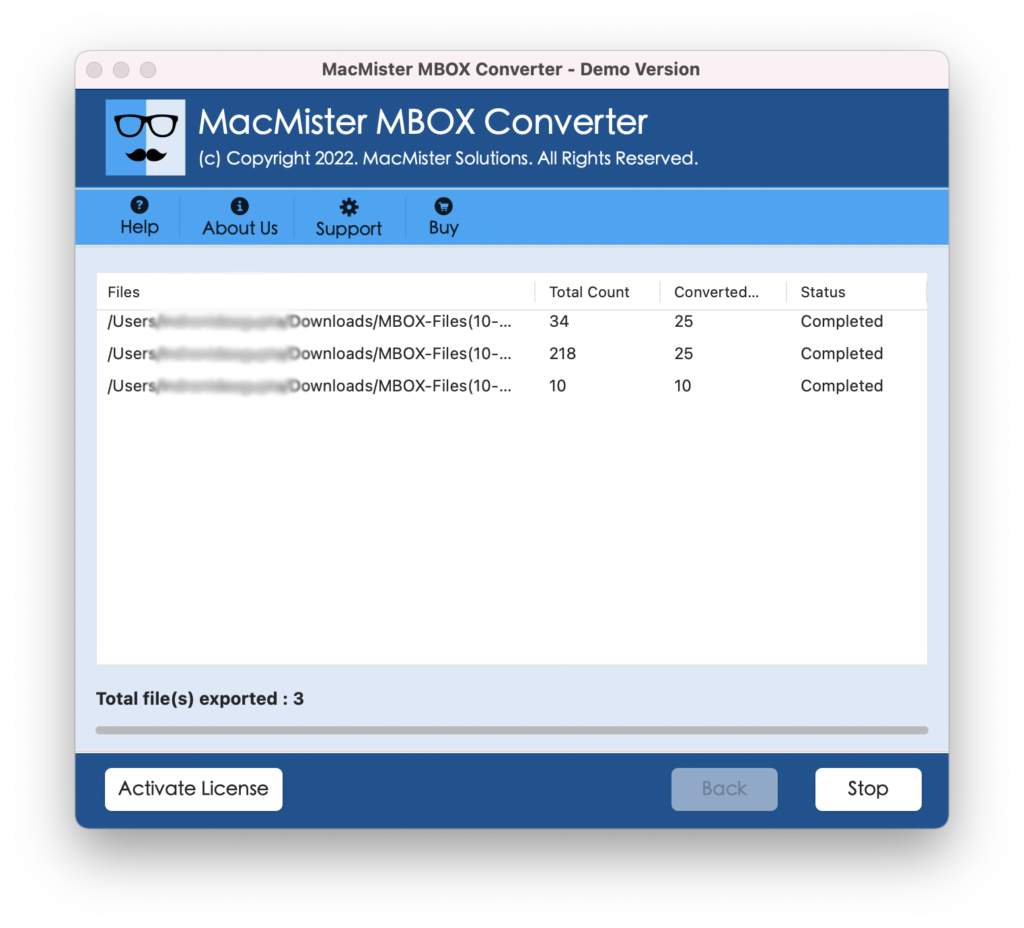
In a few seconds, all MBOX files will be successfully converted to DOC. And, this will be confirmed through a message that will be shown by the tool to Mac users i.e. Conversion Completed. Click OK and go to the location where the resultant DOC files are saved. You can open the same and check the result. However, you will see that the email messages are converted without any alteration and the formatting properties are also accurately appearing.
Why MacMister MBOX to DOC Converter is recommended?
MacMister MBOX to DOC Converter is an appropriate and right choice for every Mac individual who wants the precise conversion of unlimited MBOX files to DOC at once. It has a number of solid features and some are listed here:
- Batch convert multiple MBOX files to DOC at once.
- Saves MBOX emails & attachments accurately into DOC format.
- Keeps the formatting properties precise throughout the conversion.
- Built up with a simple GUI that is accessible easily by any technical and novice users.
- Offers dual options i.e. Add File(s)/Add Folder buttons to add necessary MBOX files on the software for conversion into DOC format.
- Shows Live Conversion Window through which users can track the current conversion status of MBOX files.
- Provides numerous file naming options that are useful for saving DOC files in an organized way.
- Allows to convert MBOX to DOC on macOS Ventura, Monterey, Big Sur, Catalina, High Sierra, etc.
Epilogue
The complete blog post has highlighted the direct process to convert MBOX files into DOC on Mac & Windows. The MacMister MBOX to DOC Converter is a trusted secure solution that is capable of converting MBOX files to DOC in bulk without affecting the originality of email messages and formatting properties. And, not only in DOC, users can perform the conversion of MBOX to PDF, PST, MSG, EML, EMLx, MHT, HTML, IMAP, Thunderbird, Gmail, Outlook.com, Yahoo, and more. Download the free demo of the tool and check the working of the software for free. Also, convert the first 25 MBOX files to DOC free of cost.